BUILD PROJECT
A wooden bridge
Build a three-block-wide bridge with a wooden deck, supports and raised edges. Follow the steps or open the finished JustBuild example.
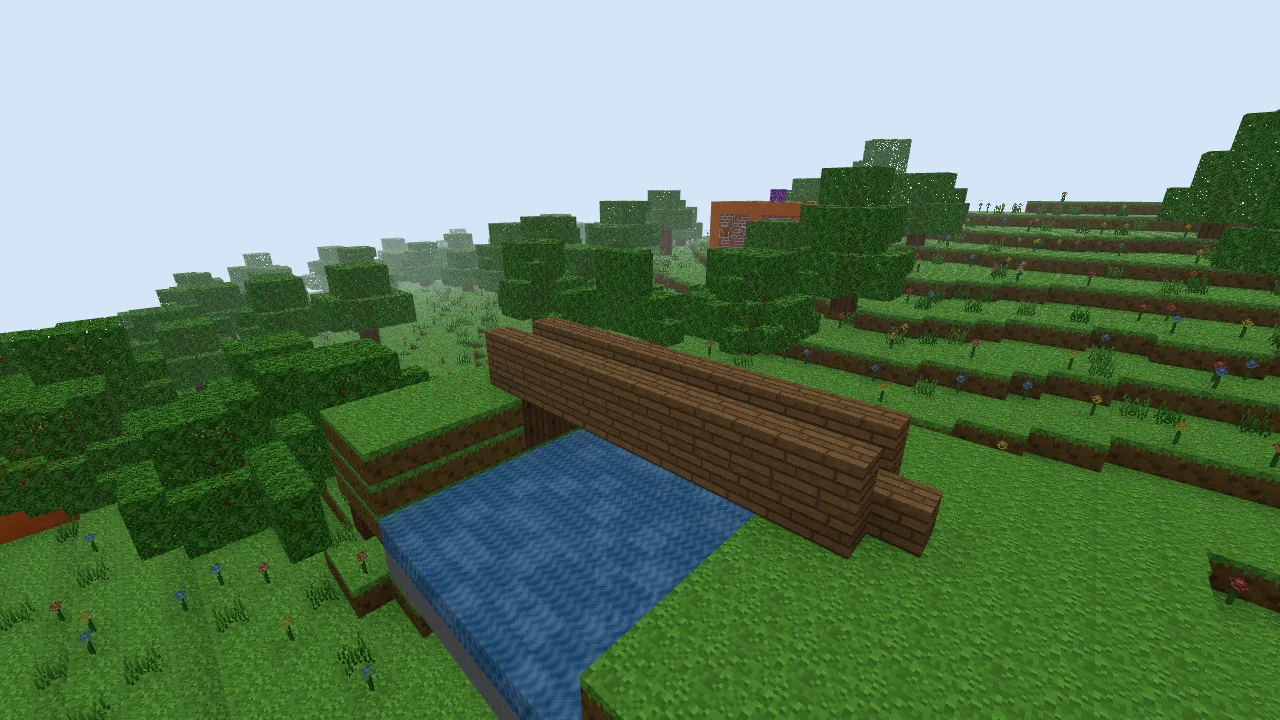
- Deck
- 13 blocks long, 3 wide
- Gap
- 9 blocks between the banks
- Materials
- Oak Planks and Oak Log
- Technique
- Full blocks; no stair orientation needed
1. Choose the crossing
Find two banks at a similar height. Count the empty cells between them before placing the first plank. In this example there are nine gap cells, with two deck cells over each bank. The banks are demonstration terrain made for this guide.
A bridge over a natural river may need a longer deck or a different height. This is a design exercise: JustBuild does not simulate the structural load of a wooden bridge.
2. Mark a level deck
Place a straight row of thirteen Oak Planks, starting two cells before the gap and ending two cells beyond it. Add two parallel rows beside it. Keep all three rows at the same height; fly to the side to check their alignment.
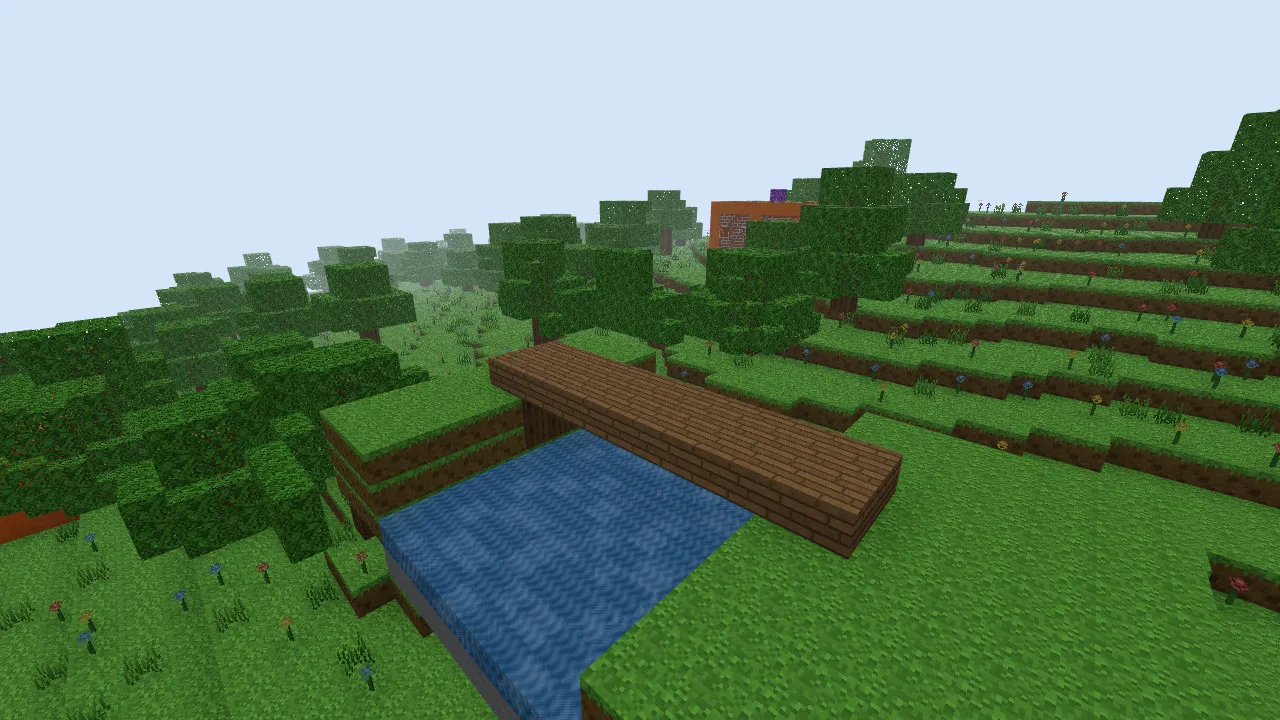
3. Add supports and edges
At each bank, place Oak Log beneath the deck until it meets the ground. The example has a row of three logs across each end, two blocks high. These supports make the ends look anchored; they do not have to reach the centre of the channel.
Add one row of Oak Planks above each outer edge. Leave the centre lane empty. Walk along it to check that nothing blocks the crossing. This uses solid low walls, rather than a fence whose connections would need another placement lesson.
4. Join it to the banks
Add a plank at each end of the centre lane to extend the approach. The demonstration deck is one block above the banks, so jump onto the approach. For a smoother route in your own world, bring the path up to the deck or add a stair at each end.
Adapt the span
If your gap is wider, add the extra length to all three deck rows and both raised edges. Keep the overlap on the banks. For a wider walkway, add a middle row before moving the edges outward. Back up your version with a world code when you finish.
Open the finished example
Download the wooden bridge world code. Open the text file, copy the whole code and follow the import instructions. Importing replaces the save slot for this example’s seed. Back up any existing copy first.
After opening the imported world, press / and enter /tp 14 47 11. Press F to fly, then look toward the build near X 5, Z 2.
Optional: reproduce the example with commands
Use a new Classic Isles world with seed justbuild-bridge. These commands overwrite the listed area, including existing terrain and edits. Press /, paste one command, press Enter and repeat. The final command moves you to the viewing position. Coordinates are absolute.
/fill -4 39 -5 17 65 8 air
/fill -3 39 -4 0 41 7 grass_block
/fill 10 39 -4 16 41 7 grass_block
/fill 1 38 -4 9 38 7 stone
/fill 1 39 -4 9 39 7 water
/time set 0.5
/fill -1 42 0 11 42 2 oak_planks
/fill 0 40 0 0 41 2 oak_log
/fill 10 40 0 10 41 2 oak_log
/fill -1 43 0 11 43 0 oak_planks
/fill -1 43 2 11 43 2 oak_planks
/fill -2 42 1 -2 42 1 oak_planks
/fill 12 42 1 12 42 1 oak_planks
/tp 14 47 11
New to the controls? See Your first world. Choose another project in Things to build.