BUILD PROJECT
A seven-by-nine starter house
Build an oak-plank house with windows and a stepped stone roof. Use the dimensions below or reproduce the tested example with commands.
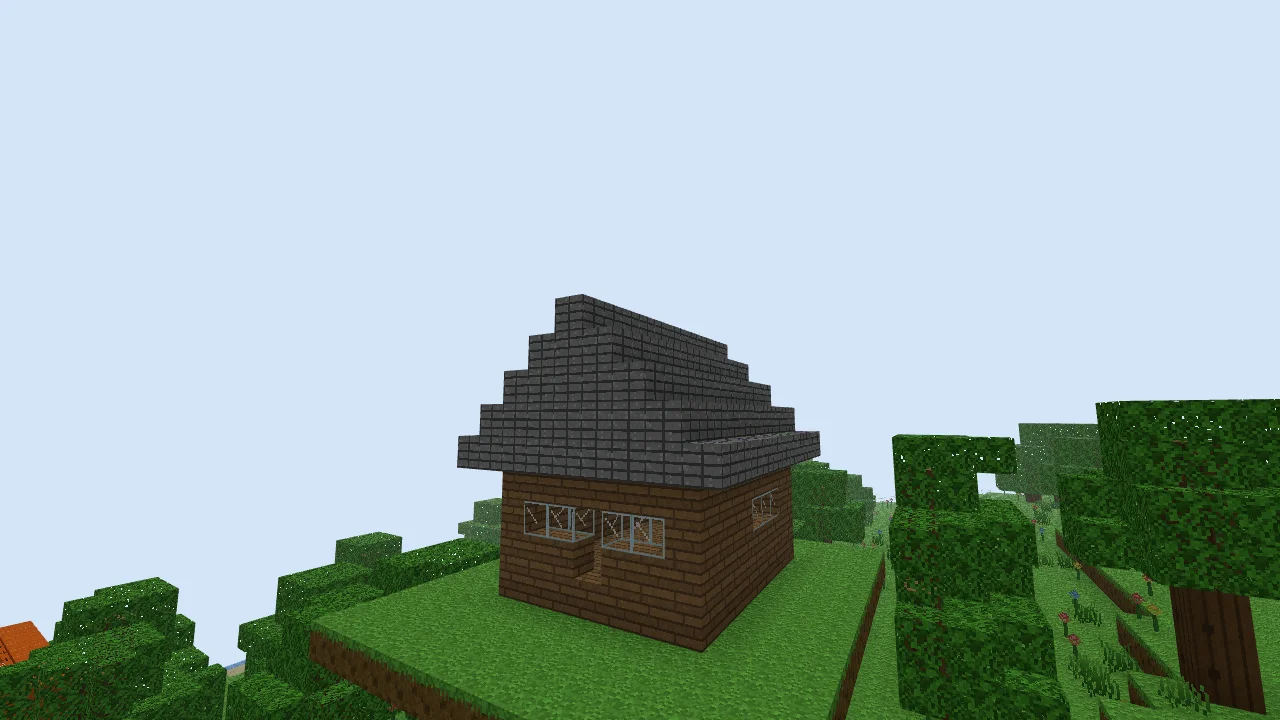
Make room for the house
Choose a clear area at least thirteen blocks wide and sixteen deep. The house floor is seven blocks wide and nine deep; the roof overhang adds one block on each edge. You need Oak Planks, Glass and Stone Bricks, all available in the block picker.
For the exact example, use the Classic Isles preset and seed justbuild-starter-house. The commands clear a defined area and add a grass platform at height 42; they will replace anything already built there. Use a new world for this recipe.
1. Lay a seven-by-nine floor
Place seven Oak Planks in a row, then add eight more rows. In the command example the floor occupies X 0–6, Z 0–8 at Y 43. The front faces increasing Z.
2. Raise the walls
Build three blocks high around the edge, leaving the inside empty. At the centre of the front wall, leave a doorway one block wide and two high. Leave two windows either side of it, each two blocks wide and one high, at the middle wall level.
3. Add glass
Fill the front windows with Glass. On each side wall, add a three-block-wide window at the same height. You can keep the back wall solid or add your own window.
4. Step the roof inward
Cover the walls with a nine-by-eleven rectangle of Stone Bricks, extending one block beyond each edge. Add layers seven, five, three and finally one block wide, each eleven blocks long and one block higher. This makes a solid stepped roof with a central ridge. It is deliberately made from full blocks so no stair orientation is needed.
Reproduce the example with commands
Press / to open the command input. Paste one line, press Enter, then repeat for the next line. Coordinates are absolute. These edits overwrite blocks in the listed area; start in a new world. The last command moves you outside the house.
/fill -4 42 -4 10 78 13 air
/fill -3 42 -3 9 42 12 grass_block
/fill 0 43 0 6 43 8 oak_planks
/fill 0 44 0 6 46 8 oak_planks
/fill 1 44 1 5 46 7 air
/fill 3 44 8 3 45 8 air
/fill 1 45 8 2 45 8 glass
/fill 4 45 8 5 45 8 glass
/fill 0 45 2 0 45 4 glass
/fill 6 45 2 6 45 4 glass
/fill -1 47 -1 7 47 9 stone_bricks
/fill 0 48 -1 6 48 9 stone_bricks
/fill 1 49 -1 5 49 9 stone_bricks
/fill 2 50 -1 4 50 9 stone_bricks
/fill 3 51 -1 3 51 9 stone_bricks
/time set 0.5
/tp 12 48 16
Open the finished example
Download the starter-house world code, open the text file and copy its full contents. Follow the world-code import steps to load your own copy. Importing replaces the save slot for this example's seed, so back up any existing copy first.
After opening the imported world, use /tp 12 48 16 to find the house. Press F to fly, then turn toward coordinates X 3, Z 4.
Make it yours
Try changing the floor material, adding a porch or making a path to the doorway. Fly around the roof to inspect it. Undo an edit with Ctrl+Z, and export a new world code when you want to keep a backup of your version.
Need the mouse and keyboard controls? See Your first world.